
Docs
Reading Journey Docs
Reading Journey is a reading journal for iPhone, iPad and Android. Add books from a search, a cover photo or a screenshot, log how each session felt, set goals without streaks, and watch your reading come together in a calendar, a map and a bookshelf you decorate yourself.
Start here
- Set up: install the app, create an account, import from Goodreads or StoryGraph, set a goal, add widgets.
- How-to guides: step-by-step guides for adding books, logging reading, rereads, Next Up, collections and the Focus timer.
- Features: everything Reading Journey has, and what RJ+ adds.
- Assistant connector: connect ChatGPT, Claude or Meta Muse and let it manage your library.
- Your data and privacy: export, backups, privacy and deleting your account.
- FAQ and contact: answers to common questions and how to reach us.
Where it runs
| Platform | Get it from | Requires |
|---|---|---|
| iPhone | App Store | iOS 26 |
| iPad and iPhone Duo New in 2.5 | App Store | iPadOS 26 |
| Android phones | Google Play | Android 14 |
Finding your way around
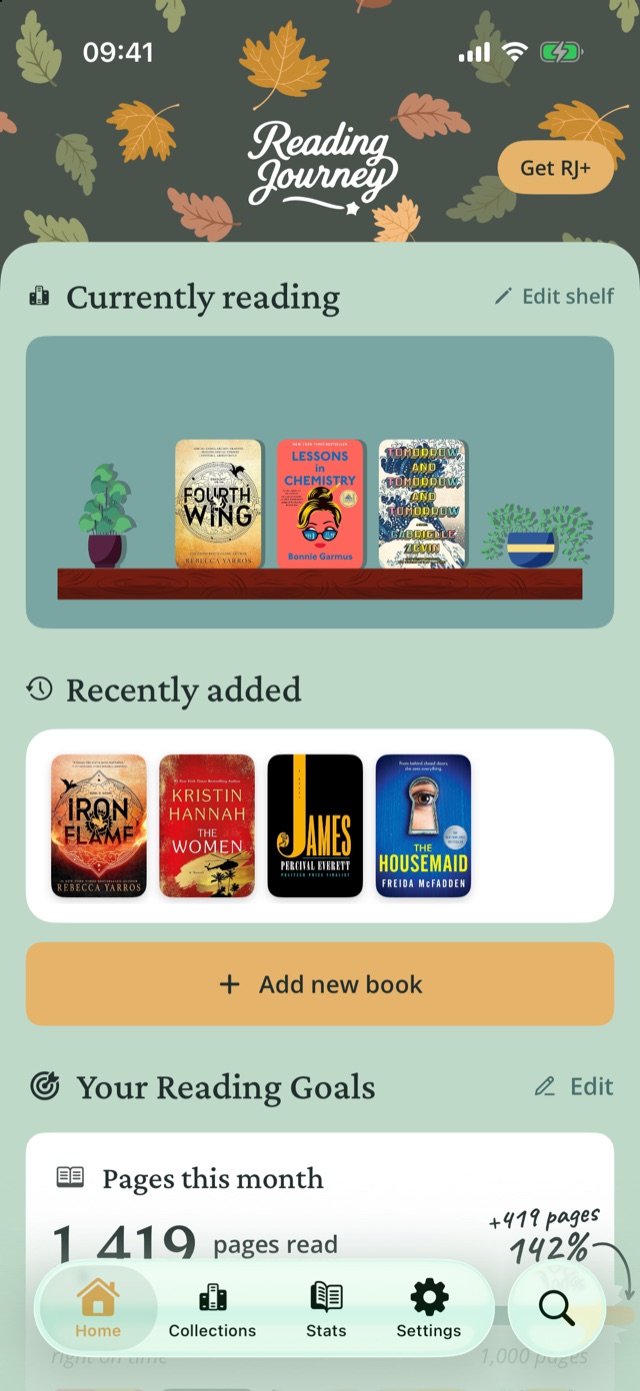
The tab bar has Home (your shelf, goals, Next Up and latest entries), Collections (Top 4, every book by status and your own shelves), Stats (Insights), Settings and a search button for your own library. On Android, search is a floating button.
From the public Reading Journey Docs.Reading Journey homePrivacyTermsSupport