
Your data and privacy
Take your library with you, restore a backup, and control what's stored. Importing from Goodreads or StoryGraph is covered under Set up.
Export your library
- Go to Settings and tap Export Library….
- Choose Goodreads CSV or StoryGraph CSV.
- Save the file to Files or send it.
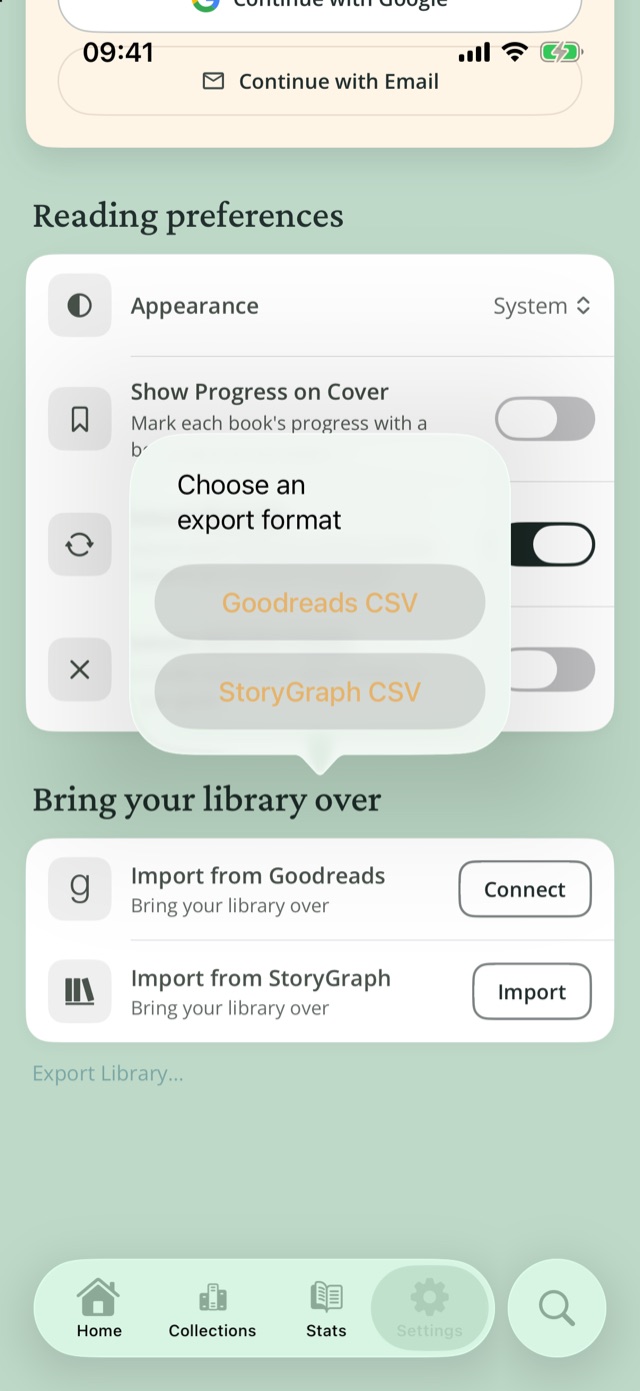
Each row is one book: title, authors, ISBN, your rating, pages, dates, shelves (your collections and status), your review and your "Why I Want to Read This" note. Journal entries, photos, reactions, locations and goals aren't included.
Backups
If you're signed in, Reading Journey backs up your account every day something changed, and keeps daily, weekly and monthly copies for up to a year, including your journal and photos. To get a backup file, contact us.
Restore a backup
iPhone and iPad
- Open the
.readingjourneyfile from Files, Mail or AirDrop. - Compare what's in the backup with what's on your device.
- Tap Restore, or Replace Library if this device already has books. If you're signed in, tap Sign Out and Restore.
Android: go to Settings›Restore Backup and pick the file.
Restoring writes to this device only. Replace Library keeps a copy of your current library on the device first.
Sign out
- Go to Settings›Manage Account and tap Sign Out.
- Choose Keep books on this device or Remove books from this device.
Your library stays in your account either way, and your other devices stay signed in.
Delete your account
- Cancel RJ+ first in the App Store or Google Play. Deleting your account doesn't cancel it.
- Go to Settings›Manage Account›Delete Account and confirm. If your account uses Apple, confirm with Apple too.
Deleting your account disconnects every assistant, then permanently erases your synced library, photos and covers, and your account. Backups are deleted 30 days later. This can't be undone.
Privacy
| Situation | What leaves your phone |
|---|---|
| Without an account | Searches, cover scans, imported images and shared links, sent to identify books. Scanned photos aren't kept. |
| With an account | Your library and photos, stored in your account to back it up and sync it. Your email and Apple or Google sign-in identify you. |
| With an assistant connected | Your library, including notes, reviews and journal entries with place names. Photos it adds when you ask go to your account, but it never sees your photos or exact locations. |
| When you long-press Ideas or feedback? | A diagnostics file with a copy of the library on your phone, attached to your email. A normal tap doesn't attach it. |
The full policy is at readingjourney.co/privacy.
From the public Reading Journey Docs.Reading Journey homePrivacyTermsSupport