
Features
Everything Reading Journey has, in one place. For step-by-step instructions, see How-to guides.
Home
Home brings your reading together: your Currently reading shelf with a Recently added card, Your Reading Goals, Next Up, Most Recent Entries and Ideas or feedback? 👋 to write to the team.
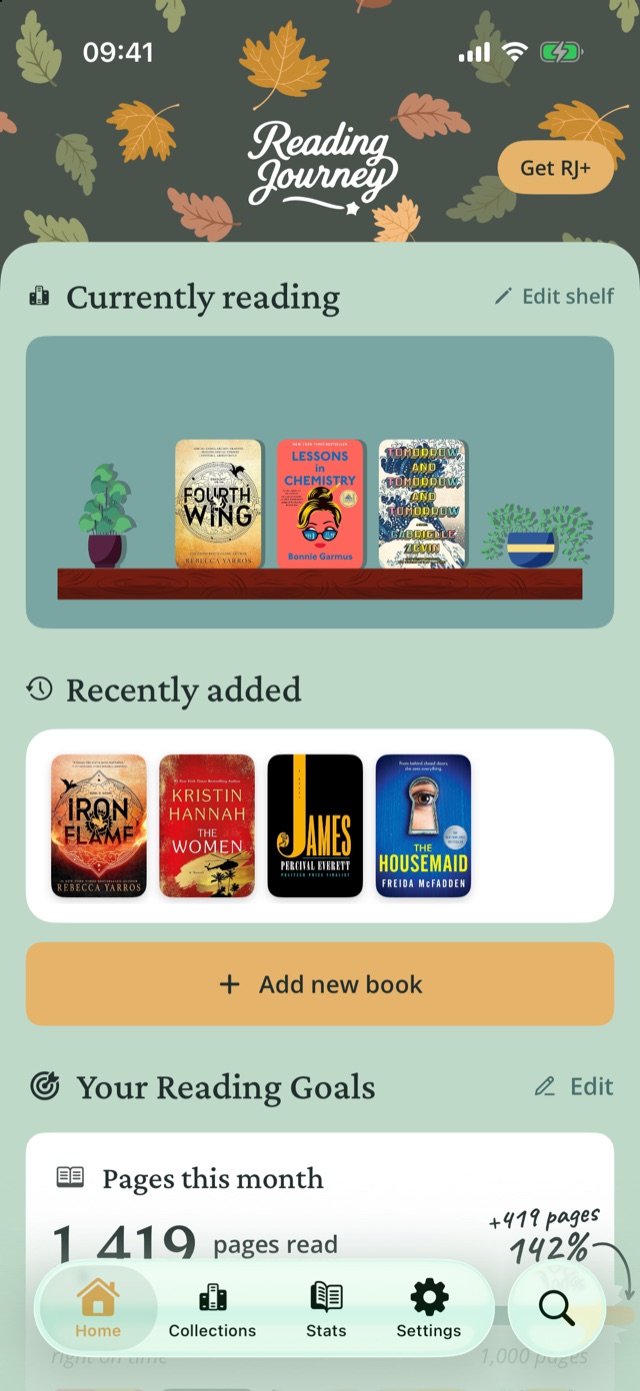
Your library
| Feature | What it does |
|---|---|
| Four ways to add books | Search by title or ISBN, scan a cover, import from photos or screenshots, or add by hand |
| Share from TikTok and Instagram | Find books mentioned in a video or post and add them |
| Reading statuses | Want to Read, Reading, Finished, Did Not Finish (DNF) and Paused |
| Rereads | Every read keeps its own dates, journal, rating and review |
| Take a break | Hide a book for a day, three days, a week or a month; it comes back by itself |
| Next Up New in 2.5 | A queue of up to five books you'll start next |
| Collections | Your own shelves, plus albums for every status |
| Top 4 | The four books that say the most about you, shareable as an image |
| Did Not Finish shelf | Books you stopped reading rest as tombstones; lay a flower on one to try it again |
| Audiobooks and e-books | Track time listened or percent for audiobooks, pages or percent for everything else |
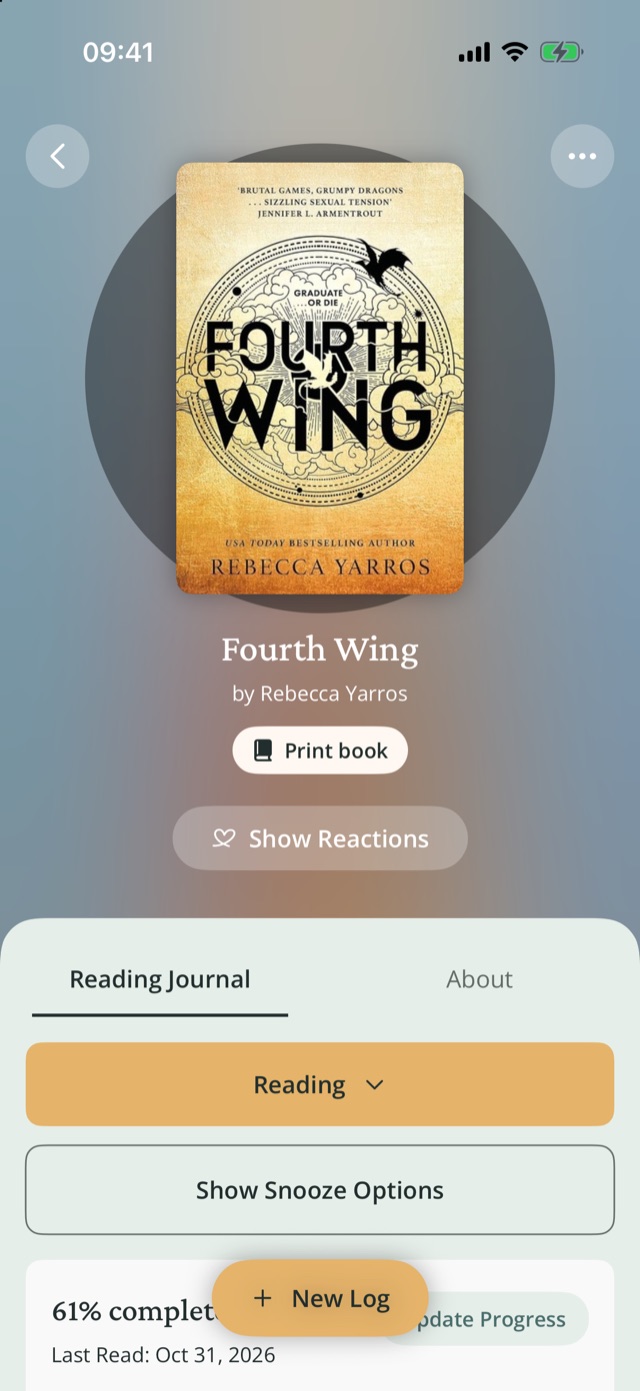
Journal
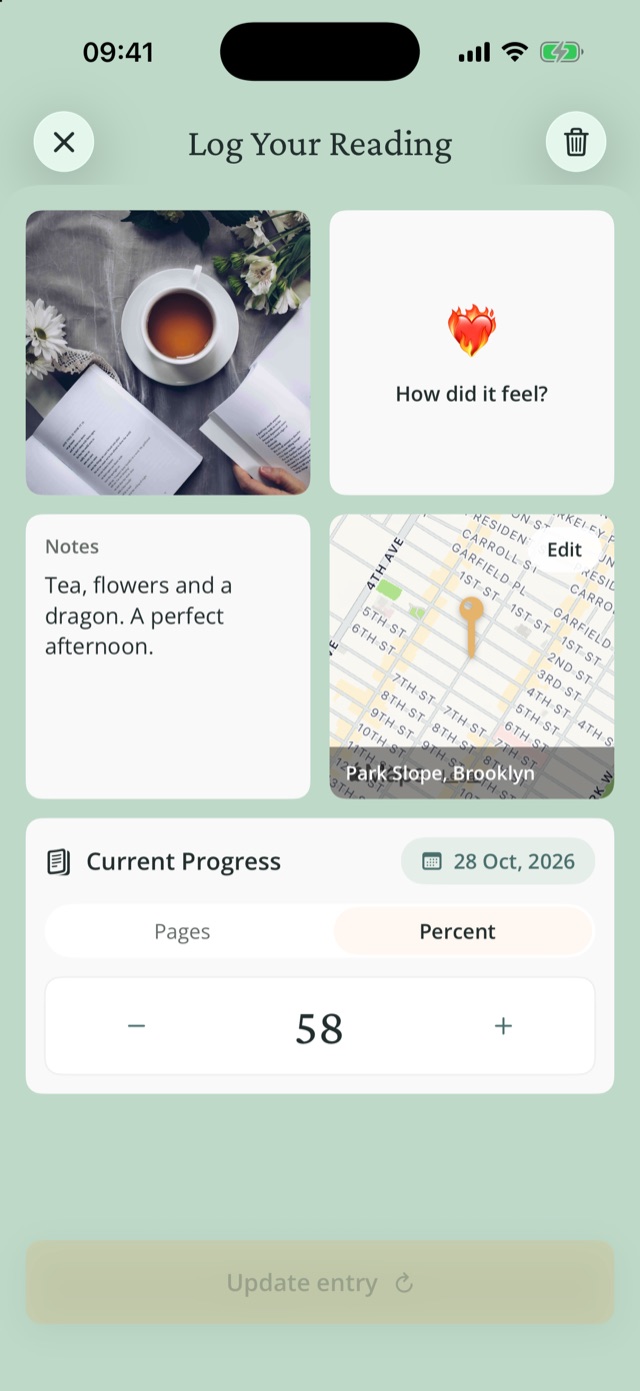
Each entry records a reading session: a photo, how it felt, notes, where you read and how far you got. Entries appear on the book's Reading Journal tab and on Home.
Goals and the Focus timer
Set goals for books, pages or minutes per day, week, month or year. There are no streaks: goal cards show your progress and the pace you need. A Minutes goal adds Read now, which starts the Focus timer; on iPhone it keeps running on your Lock Screen and in the Dynamic Island.
A goal you set or change counts for the whole week, month or year you set it in, and books or entries you add later with an earlier date count toward the period they belong to. Every goal you reached stays in Accomplishments on the Stats tab New in 2.6.
Insights
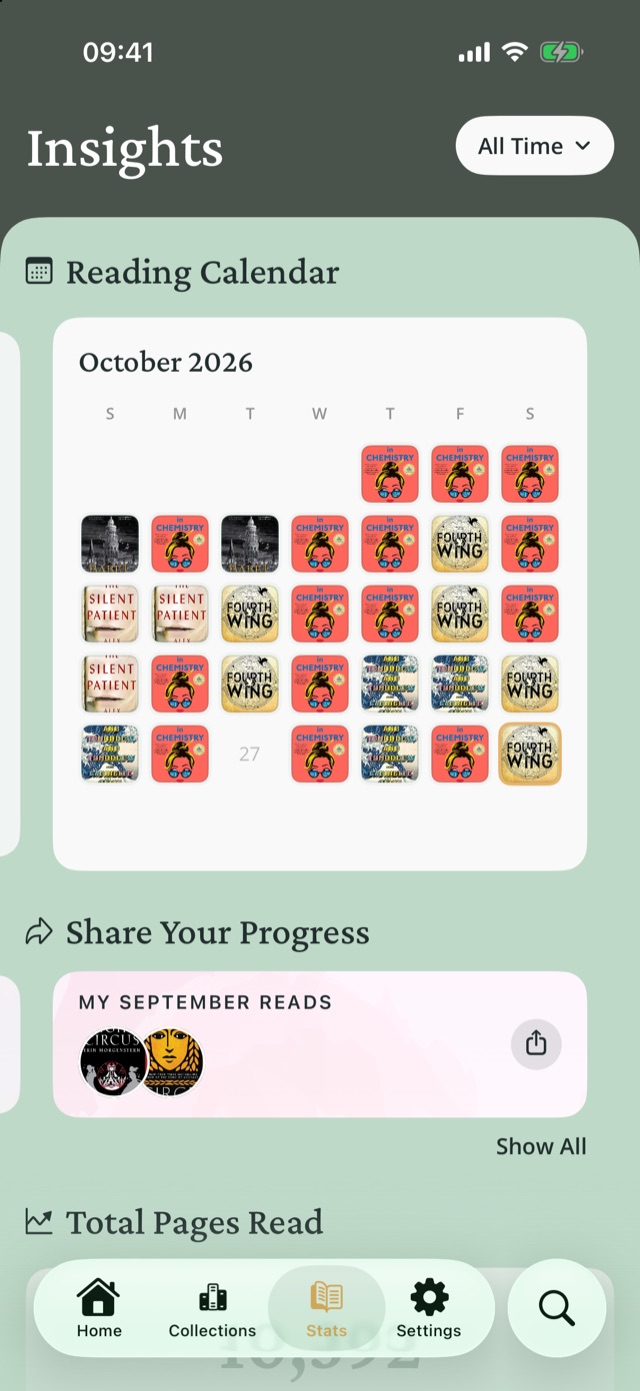
The Stats tab shows your Reading Calendar, Total Pages Read, My Reactions and Places You Go, a map of where you read. Share a month of finished books as a Monthly Reads collage, or a book's reactions as My Emotional Journey.
The range button at the top picks the period these charts cover: All Time, a week, a month, This Year or Last Year (each shows its year, for example This Year (2026)), or Custom for any dates you choose New in 2.6. From December 5, Insights opens on This Year, and in the first week of January on Last Year if you logged reading then, so your year in books is easy to find. Total Pages Read compares the period with the one before it.
Accomplishments New in 2.6 shows every goal you reached, newest first, as cards you can swipe, for example Books · October 2026, 4 of 4 books, Reached Oct 27. The range button limits it to goals reached in that period. Until you reach a goal, it shows your current goals and how many are to go. It does not appear if you have never set a goal.
A daily goal shows as one card per month, for example Minutes a day · October 2026, 23 of 31 days. The Reading Calendar has a month and a year view: the month shows the covers of the books you read each day, and the year shows a grid of the last 12 months, darker on days you read longer. Minutes you log count as they are, and pages count as about a minute and a half each, so 20 pages look like 30 minutes. Every day you reached a daily goal has a thin edge. Tap a day to see its pages and minutes New in 2.6.
Your bookshelf and widgets
Decorate your shelf with wallpapers, woods, plants, drinks, lights and buddies such as the Reading Cat. The same shelf appears in the widgets.
| Widget | Where | Shows |
|---|---|---|
| Currently Reading | Home Screen (small, medium) | Your shelf with the books you're reading |
| Current Read | Lock Screen | The book you're on and how far you've got |
| Log Your Reading | Lock Screen | One tap to log a session |
Devices and languages
| Device | Notes |
|---|---|
| iPhone | iOS 26 or later |
| iPad and iPhone Duo New in 2.5 | Sidebar layout on iPad; the folding iPhone Duo switches layouts as you fold it |
| Android | Android 14 or later, portrait layout; widgets on the Home Screen; the Focus timer runs as a notification |
Choose System, Light or Dark under Settings›Reading preferences›Appearance. Reading Journey is available in English, Arabic, Chinese (Simplified and Traditional), French, German, Italian, Japanese, Korean, Portuguese (Brazil and Portugal), Russian, Spanish and Vietnamese.
RJ+
RJ+ is an optional subscription. Everything else is free, including all ways to add books, the journal, Insights, widgets, the Focus timer, imports, export and the assistant connector.
| Feature | Free | RJ+ |
|---|---|---|
| Sync | One device | Every device, across iPhone, iPad and Android |
| Reading goals | 1 goal | One for every kind and period |
| Bookshelf and widget decoration | 8 colours, Oak wood, 2 plants | Every wallpaper, wood, plant, decor and buddy |
| Goodreads | Import and sync by hand | Auto-Sync every time you open the app |
Get it from Get RJ+ on Home. Manage or cancel it under Settings›Manage Account›Manage App Store subscription (on Android, Manage Google Play subscription).
From the public Reading Journey Docs.Reading Journey homePrivacyTermsSupport